
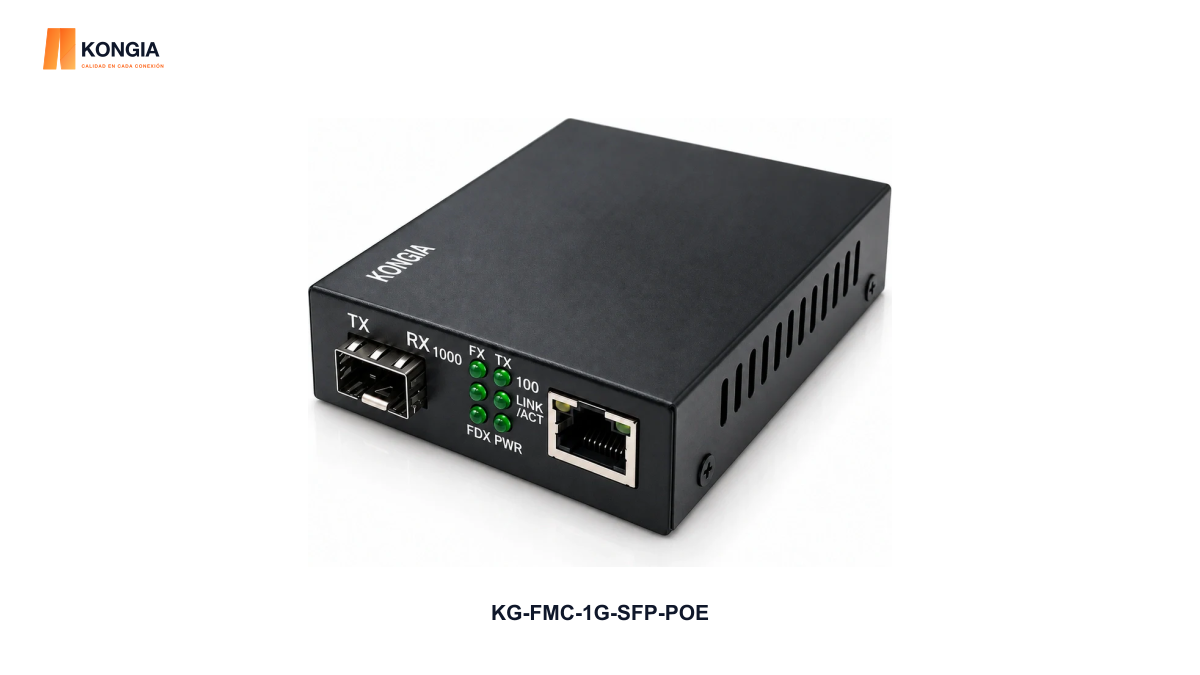
Quick answer. Fiber transports the network connection; this converter still needs its specified local electrical supply. Match the camera’s documented PoE demand to the exact output and cabling conditions. KG-FMC-1G-SFP-POE lists IEEE 802.3af/at output up to 25.5 W, one PoE RJ45 port and a separate SFP slot. A PoE label alone is not a completed compatibility test.
1. Draw the power path as well as the fiber path
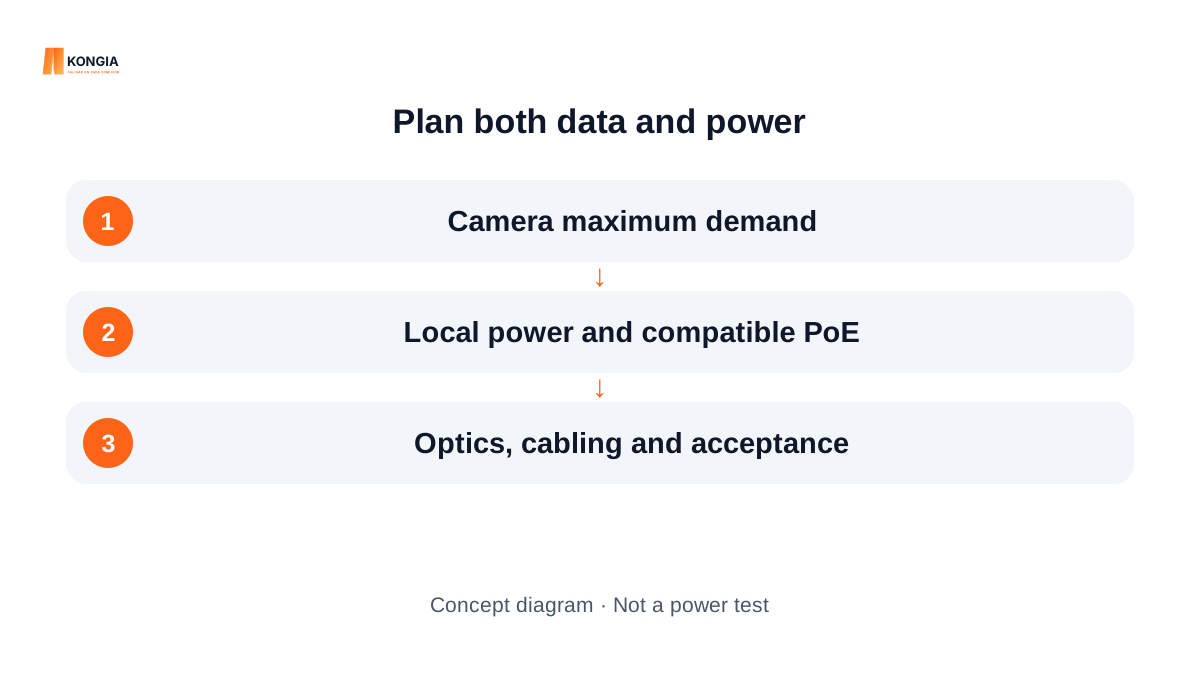
Mark the network source, optical modules and fiber, remote converter, copper run and camera. Add the remote electrical source to the drawing. Do not assume that a fiber link will carry the power used by the camera.
This reference uses an external supply. Confirm that the proposed remote location can accommodate the correct supply and connections. The camera and any mains installation remain separate project decisions; a media converter does not resolve them automatically.
2. Use the specification of this exact converter
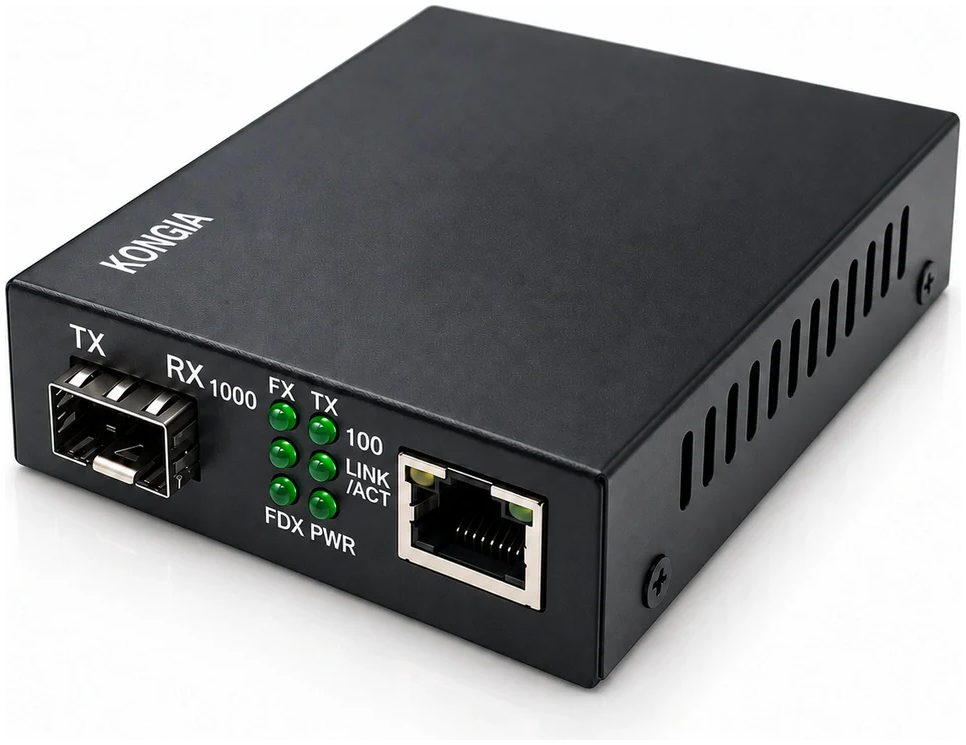
KG-FMC-1G-SFP-POE lists one 10/100/1000 Mbps RJ45 output with IEEE 802.3af/at PoE and one 1.25 Gb/s SFP slot. Its stated PoE output is up to 25.5 W. Do not replace that figure with a higher value taken from a general PoE class table.
The commercial configuration includes an external adapter; the SFP is not included. The listed adapter is 52 V DC / 0.7 A with a Chinese plug, with US or European plug options. Confirm the actual destination option in the quotation rather than assuming one is supplied.
| Order check | Published reference | Still confirm |
|---|---|---|
| PoE output | Up to 25.5 W; IEEE 802.3af/at | Camera requirement and available power under the intended conditions |
| Direct PoE ports | One RJ45 | One directly connected PoE device |
| Optical interface | One SFP slot; module not included | Both optical modules and their complete fiber link |
| Local supply | 48–57 V DC equipment input | Included adapter configuration and destination plug |
3. Obtain the camera’s maximum requirement
Use the exact camera model and its manufacturer documentation. Request the required PoE standard or class and the maximum demand for the configuration being purchased. Record whether options such as illumination, heaters, motors or accessories change that requirement; do not invent their consumption.
A typical-power figure or a successful daytime image is not a substitute for the required operating condition. Ask for confirmation when the camera information, converter limit or power-supply configuration leaves a gap. Do not call an unverified combination compatible.
4. Distinguish source power from device power
Fluke’s PoE negotiation explanation distinguishes the power-sourcing equipment from the powered device and notes that the power available at the device differs because of link losses. It describes discovery and classification before normal power delivery.
Apply that distinction to the quotation and acceptance plan. An adapter nameplate, the converter’s own consumption and the camera’s available PoE power are different quantities. The product lists its own consumption separately as 0.75–2 W; that is not a 2 W camera limit or extra camera power.
5. Check the optical and copper sides separately
The product lists Cat5e or higher UTP and a copper reach up to 100 m. That published limit does not prove a particular installed channel will pass. Specify the actual length, cable and connection layout and the project acceptance method.
The optical connector, wavelength, fiber arrangement and reach depend on the SFP pair and optical budget. This empty SFP slot is not evidence of a fixed long-distance link. Check matching modules, fiber type, loss and polarity before stating a distance.
6. Keep a traceable order and acceptance record
Link the converter reference, camera model, maximum demand, adapter option, SFP pair and cable route in one record. Document unresolved questions before order approval and record the actual tests after installation. A concept diagram is not a load-test report.
- Record the camera model and documented maximum power requirement.
- Confirm the converter’s declared PoE output and direct port count.
- Specify remote local power, adapter and destination plug.
- List both SFPs, fiber and copper conditions.
- Agree the acceptance conditions and retain the actual results.
Related KONGIA products
Questions before ordering
Does the fiber cable power the camera through this converter?
No. This reference needs its specified local electrical supply; its RJ45 output then provides compatible PoE under the stated conditions.
Can one converter directly power two cameras?
This reference has one PoE RJ45 output. Do not describe it as a two-port PoE supply.
Is the SFP included?
No. The listed commercial configuration has an external supply but excludes the SFP module. Specify the optical pair separately.
Does a PoE+ label prove my camera is compatible?
No. Compare the exact camera demand, converter output, supply and link conditions, then retain the relevant acceptance evidence.
The KONGIA approach
KONGIA aims to make camera connectivity easier to specify and explain. Separating real power needs, supplied components and unresolved compatibility questions helps partners offer clear proposals. We seek simpler selection, sourcing and use while respecting channel investment and the cooperation and market-protection terms agreed in writing.
Our purpose and values →Sources and scope
A planning and quotation checklist, not an electrical design, a guaranteed camera compatibility list or a completed PoE test. Follow the actual equipment and installation instructions.
Prepared with AI assistance and the listed product information and technical source. Illustrations are conceptual; no camera test or customer installation is claimed. The product images use approved KONGIA catalog originals; separate technical diagrams remain explanatory. Editorial policy